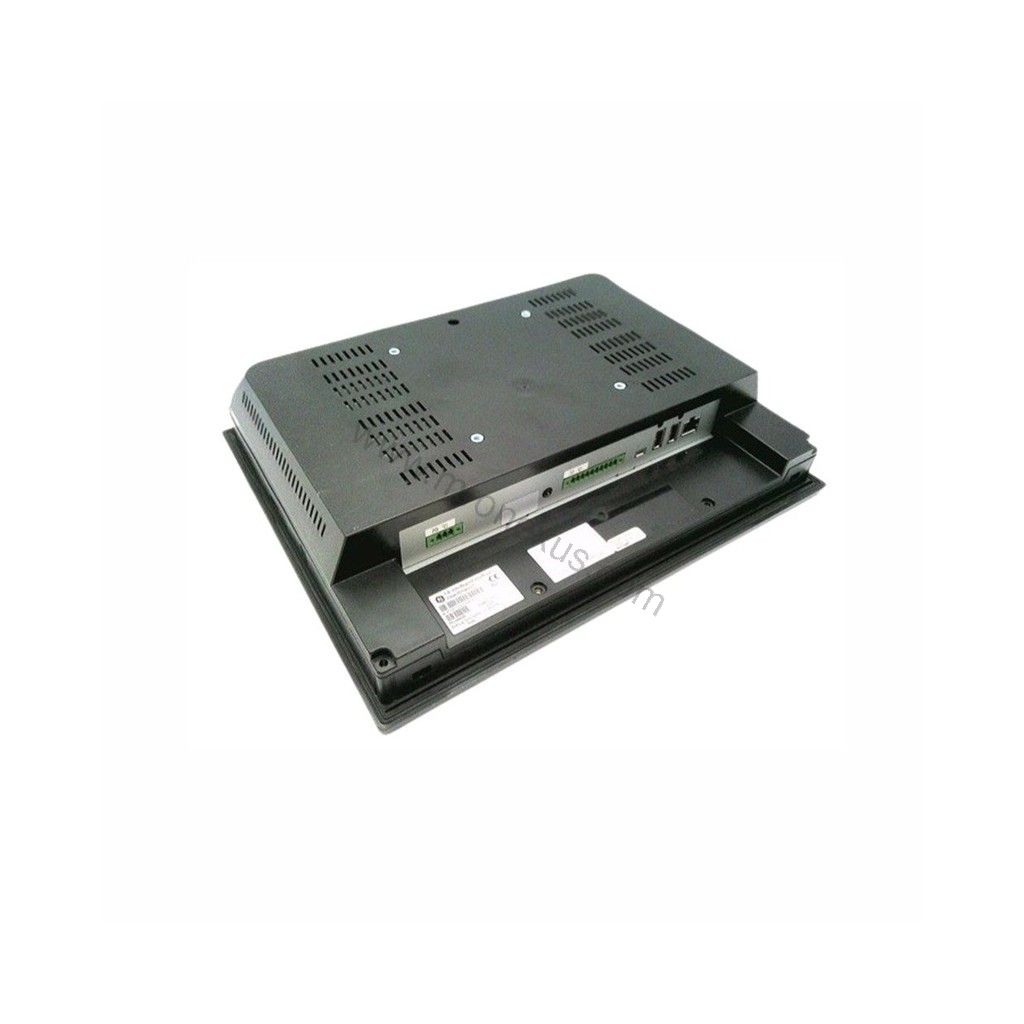
IC755CKW07CDM | GE QuickPanel+ 7″ HMI, 24VDC, Ethernet
PLC
- Brand: GE
- Part Number:
IC755CKW07CDM - Availability: Ask for quote
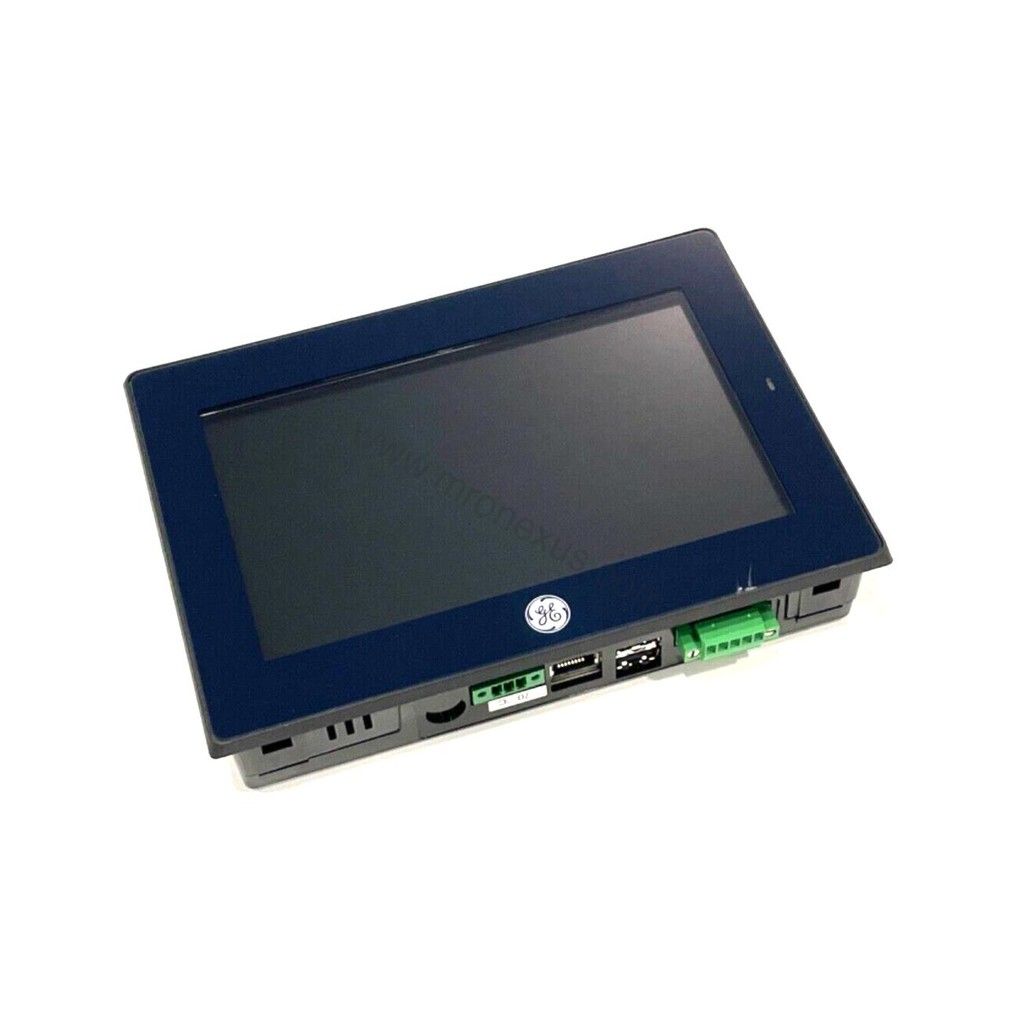
GE QuickPanel+ IC755CKW07CDM: 7-inch widescreen HMI with 24VDC input, Ethernet, and capacitive touch. Reliable operator interface for industrial automation.
Product Details
Understanding the GE QuickPanel+ IC755CKW07CDM Operator Interface
In industrial automation, operator interface terminals (HMI) are critical for machine control and monitoring. When an HMI fails, production visibility is lost, and downtime costs mount quickly. The GE QuickPanel+ IC755CKW07CDM is a 7-inch widescreen HMI designed to provide reliable operation and intuitive interaction. As part of the QuickPanel+ series by GE Fanuc (now Emerson), this model combines a projective capacitive touchscreen with a 1 GHz ARM Cortex A8 processor, making it suitable for demanding industrial environments. Mronexus supplies genuine industrial automation parts like this at competitive prices, ensuring you get reliable hardware without the premium markup.

Key Technical Specifications
- Display: 7-inch widescreen TFT LCD, 800 x 480 pixels (WVGA), 65,536 colors, 310 cd/m² brightness.
- Touchscreen: Projective capacitive, two-point touch for precise and responsive input.
- Processor: Freescale i.MX535 (1 GHz ARM Cortex A8) with 512 MB DDR2 SDRAM and 256 MB SLC NAND ROM.
- Operating System: Microsoft Windows Embedded Compact 7.
- Input Voltage: 24 VDC; power consumption 15 W at 0.625 A.
- Communication: 1 x 10/100BaseT Ethernet (RJ-45), 1 x RS-232 UART (5-pin), 2 x USB 2.0 host, 1 x USB 2.0 mini device.
- Storage: SD/SDHC card slot for data logging and project storage.
- Operating Temperature: Refer to official datasheet for detailed range.
- Dimensions: 192 x 137 x 36 mm (7.56 x 5.39 x 1.42 in); weight 0.8 kg (1.76 lbs).
The 24 VDC input voltage is standard for industrial control panels, allowing easy integration with existing power supplies. The Ethernet port enables network connectivity for remote monitoring and data exchange, while the RS-232 serial port supports legacy equipment. The two USB host ports facilitate connection of peripherals such as keyboards, mice, or USB drives for project updates.
Comparison with Similar HMI Products
When selecting an HMI, engineers often compare models based on display size, resolution, processor performance, and communication options. The table below outlines key differences between the IC755CKW07CDM and typical alternatives in its class.
- GE QuickPanel+ IC755CKW07CDM: 7-inch widescreen, 800×480, capacitive touch, 1 GHz ARM Cortex A8, 512 MB RAM, Ethernet + RS-232 + USB, Windows Embedded Compact 7.
- 5-inch HMI (typical): Smaller display (480×272), resistive touch, slower processor (400 MHz), limited connectivity (serial only), lower RAM (128 MB).
- 10-inch HMI (typical): Larger display (1024×600), higher cost, often includes additional protocols but may require more panel space.
- 7-inch HMI with resistive touch: Similar size but resistive touch requires more pressure and has lower durability; capacitive touch offers better user experience.
The IC755CKW07CDM strikes a balance between screen real estate and panel footprint, making it ideal for machines where space is limited but visibility is important. Its capacitive touchscreen enhances operator efficiency compared to resistive alternatives.
Applications and Use Cases
The IC755CKW07CDM is well-suited for a variety of industrial applications. In manufacturing cells, it can display machine status, production counts, and alarm messages, allowing operators to respond quickly to issues. For process control, the widescreen format provides ample space for trend graphs and parameter adjustments. In packaging machinery, the capacitive touchscreen enables fast recipe changes and setup, reducing changeover times. Additionally, the unit’s Ethernet connectivity supports integration with SCADA systems for centralized monitoring. A hypothetical case: a food processing plant uses the IC755CKW07CDM to control a mixing line; when a fault occurs, the HMI displays a clear alarm with troubleshooting steps, minimizing downtime.
Installation and Setup
The IC755CKW07CDM can be panel-mounted or VESA-mounted, offering flexibility in installation. Ensure the panel cutout matches the unit’s dimensions (192 x 137 mm) and provide adequate clearance for cables. Connect the 24 VDC power supply, ensuring polarity is correct. For network integration, use the Ethernet port to connect to a switch or directly to a PLC. The RS-232 port can be used for serial communication with legacy devices. When wiring into industrial Ethernet networks such as PROFINET or EtherNet/IP, note that the IC755CKW07CDM does not natively support these protocols; an external gateway or connection module may be required. Confirm cable and gateway compatibility with your supplier. The SD card slot allows for project transfer and data logging without needing a PC.
Maintenance and Reliability
To ensure reliable operation, inspect the HMI periodically for dust buildup on the screen and vents. Clean the touchscreen with a soft, damp cloth; avoid abrasive cleaners. Check cable connections for tightness, especially in high-vibration environments. The unit’s operating temperature range should be observed; refer to the datasheet for specifics. The capacitive touchscreen is durable but can be damaged by sharp objects, so use only fingers or approved styluses. The SD card slot should be kept free of debris. By following these practices, the IC755CKW07CDM can provide years of dependable service, reducing downtime and maintenance costs.
Frequently Asked Questions
Q: What is the operating temperature range of the IC755CKW07CDM?
A: The operating temperature range is not specified in the provided data. Refer to the official GE Fanuc datasheet or contact Mronexus for assistance.
Q: Can the IC755CKW07CDM communicate over Ethernet/IP or PROFINET?
A: The IC755CKW07CDM has one 10/100BaseT Ethernet port but does not natively support industrial protocols like EtherNet/IP or PROFINET. An external gateway or protocol converter may be required for integration with such networks. Confirm compatibility with your supplier.
Q: What type of power supply does the IC755CKW07CDM require?
A: The unit requires a 24VDC power supply and consumes 15W at 0.625A. Ensure your power source is stable and within specifications to avoid operational issues.
Q: How do I replace a faulty IC755CKW07CDM unit?
A: The IC755CKW07CDM can be panel-mounted or VESA-mounted. For replacement, power down the system, disconnect all cables, remove the mounting hardware, and install the new unit in reverse order. Always follow lockout/tagout procedures.
Product Support and Availability
The GE QuickPanel+ IC755CKW07CDM is in stock and ready to ship from Mronexus. As your one-stop sourcing base for industrial automation parts, we offer genuine products at competitive prices with worldwide fast delivery. Contact Mronexus for genuine industrial automation parts and experience reliable value-for-money service.
Unmatched Customer Service
- After Hours Shipping
- Real Time Order Tracking
- Flexible Delivery Options
- Intact Technical Supports